 Introduction
Welcome to the official page for ArmClient-PS, a secure Azure Resource Manager (ARM) support utility designed for redistribution.
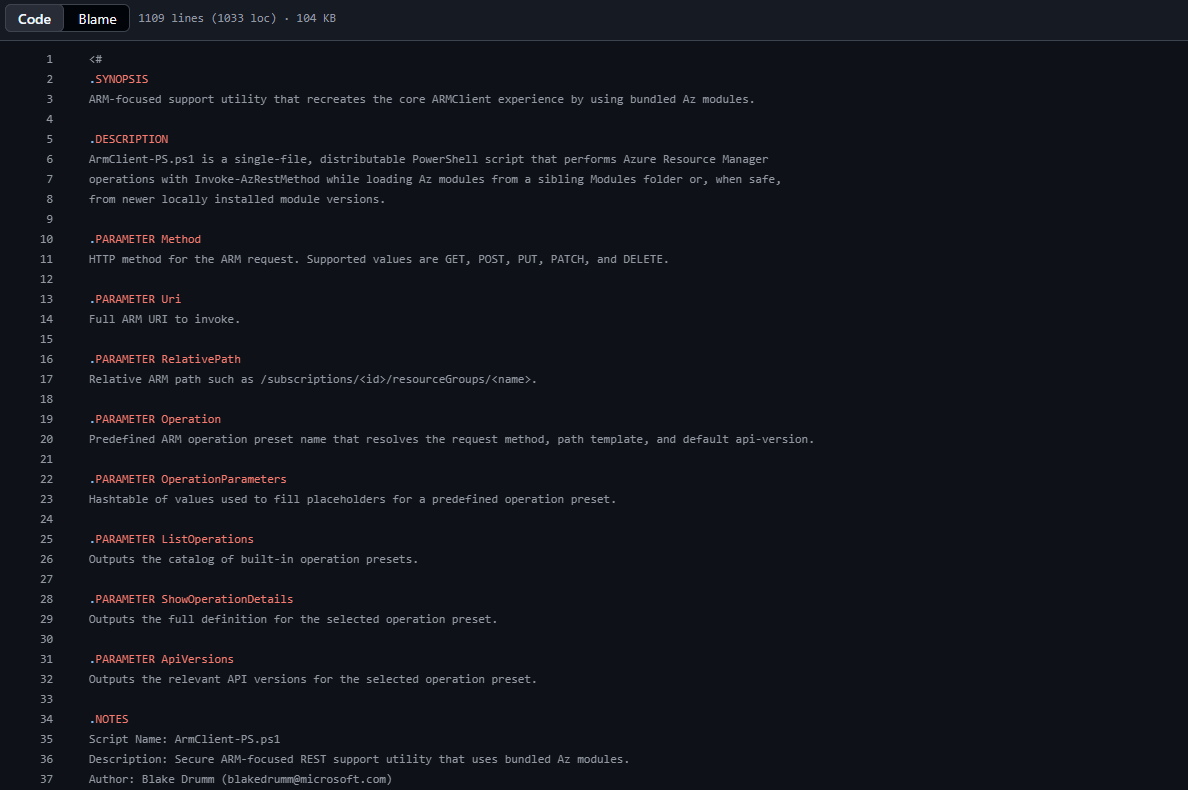
ArmClient-PS 1.1.0 recreates the core ARMClient workflow by using Invoke-AzRestMethod and a locally bundled Modules folder instead of requiring runtime installation from the PowerShell Gallery. The package can be extracted and run without installing its bundled dependencies into the user’s module paths.
The command-line script remains the request engine. Version 1.1.0 also includes an optional Windows Presentation Foundation (WPF) interface that sends every request through that same script, preserving its validation, logging, redaction, and cloud handling. The command-line interface (CLI) continues to work when the GUI file is omitted.
ArmClient-PS supports GET, POST, PUT, PATCH, and DELETE, includes common operation presets, polls long-running ARM operations, validates packaged files before loading bundled code, and keeps newly acquired Az context within the current process by default.
Note
The CLI supports Windows PowerShell 5.1 and PowerShell 7.x. Its current built-in cloud list is
AzureCloud,AzureUSGovernment,AzureChinaCloud,AzureUSNat, andAzureUSSec; it also accepts custom environments registered withAdd-AzEnvironment, including Azure Stack Hub. The WPF interface is Windows-only.
 Source Code


Source code is hosted on GitHub: https://github.com/blakedrumm/AzArmClient-PS
For development, clone the repository. For normal use, download the release archive because it already contains the scripts, manifests, Az.Accounts, and its required dependencies.
View on GitHub Download Latest Release
The latest reviewed release is v1.1.0, published August 13, 2026. Its
AzArmClient-PS.zipSHA-256 digest is32d0d04f9de84464559fb9d782623d4095c0d64cd2571be95a796d8b4a85b7e0. Check the release page for the digest that matches the version you download.
 What’s New in Version 1.1.0
Version 1.1.0 is more than a dependency refresh. The main additions and corrections are:
- An optional WPF interface with searchable presets, live ARM operation discovery, guided parameters, encrypted defaults, tenant switching, response inspection, and Copy as CLI.
- Route provenance for discovered operations. The GUI distinguishes a Microsoft-published DOCUMENTED PATH from a path INFERRED from ARM role-based access control (RBAC) metadata.
- Correct routing for Resource Manager root types such as
/subscriptions, which must not be placed below/providers/Microsoft.Resources/. - API-version selection that treats
-preview,-beta,-alpha, and-rcversions as prerelease versions when choosing a stable default. - Package inventory and runtime hash validation for
ArmClient-PS.Gui.ps1whenever the optional file is present. - A release archive built from an exact commit and validated after extraction before publication.
See the repository changelog for the complete release history.
 Prerequisites
Before running ArmClient-PS, make sure the following requirements are met:
- PowerShell host: Windows PowerShell 5.1 or PowerShell 7.x for the CLI. The optional WPF interface requires Windows.
-
Az.Accounts: bundled with the release package, so no installation is required. Version 1.1.0 bundles
Az.Accounts5.5.2 and can use a newer valid installed version. - Azure sign-in: interactive browser, device-code, managed-identity, and existing-process-context flows are supported.
- ARM permissions: the signed-in identity needs the appropriate RBAC role for the requested resource, such as Reader for GET or a suitable write role for PUT, PATCH, POST, and DELETE.
-
Network access: outbound HTTPS to the selected cloud’s sign-in authority and Resource Manager endpoint. GUI documentation links are restricted to
learn.microsoft.com. -
Intact package layout:
ArmClient-PS.ps1,Modules\, andManifest\must remain together.ArmClient-PS.Gui.ps1is optional, but it is integrity-checked when present.
 Goals
Goals
The design goals describe why ArmClient-PS exists. The concrete capabilities that satisfy each goal are listed in the Key Features section below.
- Be redistributable: ship as a single zip-friendly support package that runs without internet access to the PowerShell Gallery.
- Stay secure by default: disable Az context autosave for the process and redact sensitive data from logs.
- Be tamper-evident: validate packaged files before they are loaded or executed.
-
Behave predictably across hosts: produce the same module resolution result on any engineer’s workstation, regardless of installed
Az.*versions. - Lower the barrier to ARM calls: let engineers run common operations without remembering ARM paths or API versions.
- Support guided and automated work: offer an optional GUI without creating a second request implementation.
- Hide async plumbing: treat long-running ARM operations like synchronous calls from the caller’s perspective.
 Package Layout
The tool ships as a self-contained folder structure:
.
├── ArmClient-PS.ps1
├── ArmClient-PS.Gui.ps1
├── Build-BundledModules.ps1
├── Modules\
├── Manifest\
│   ├── Files.sha256.json
│   └── Versions.json
├── Logs\
└── Output\
ArmClient-PS.Gui.ps1is optional.Logs\andOutput\are runtime folders that are created and populated as the tool runs.
 Key Features
-
Shared request engine:
ArmClient-PS.ps1handles both direct CLI calls and requests submitted by the optional WPF interface. -
Bundled modules:
Az.Accountsand its dependencies load from the siblingModulesfolder, with controlled fallback to valid installed versions. - TLS support: TLS 1.2 is enabled before outbound HTTPS requests.
-
Flexible authentication: interactive browser, device code, managed identity, tenant and subscription targeting, or reuse of an existing context with
-NoLogin. - Package integrity: hash validation checks the packaged scripts, manifests, and every bundled module file. Unlisted module files and paths that escape the package are rejected.
-
Optional signatures:
-EnforceSignatureValidationenables Authenticode validation for supported PowerShell files. - Sensitive-data redaction: logs redact authorization data, bare JSON Web Tokens (JWTs), SAS signatures, cookies, assertions, secrets, and PEM private keys.
- Operation discovery: the CLI provides verified presets; the GUI can also discover the operations exposed by the signed-in subscription.
- Resilient ARM calls: long-running operations, throttling, transient failures, correlation IDs, and request IDs are handled explicitly.
- Safe custom headers: dangerous headers are denied, values are checked for CRLF injection, and explicit-token requests do not follow redirects.
-
Validated JSON: inline
-Bodyand-BodyFilecontent is parsed before the request is sent. -
Built-in self-test:
-SelfTestvalidates folders, manifests, hashes, module resolution, and the Az context.
 Runtime Usage
Show the tool version
.\ArmClient-PS.ps1 -ToolVersion
Show context
Display the resolved Azure context. Running the script without an action also displays this context:
.\ArmClient-PS.ps1 -ShowContext
Choose an authentication flow
Use device-code authentication when an interactive browser is unavailable:
.\ArmClient-PS.ps1 -UseDeviceCode -ShowContext
Use the host’s managed identity:
.\ArmClient-PS.ps1 -UseManagedIdentity -ShowContext
Use -TenantId, -SubscriptionId, and -Environment to target a specific context. Use -NoLogin only when the current process already has the context you intend to reuse.
Run a GET request
Issue a standard ARM GET against any resource path:
.\ArmClient-PS.ps1 `
  -Method GET `
  -RelativePath "/subscriptions/<subscriptionId>/resourceGroups/<resourceGroupName>" `
  -ApiVersion "2021-04-01"
Save a response to disk
Pipe the response body straight into a file under the Output\ folder:
.\ArmClient-PS.ps1 `
  -Method GET `
  -RelativePath "/subscriptions/<subscriptionId>/resourceGroups/<resourceGroupName>" `
  -ApiVersion "2021-04-01" `
  -OutputFile "resource-group.json"
Send a request body (PUT/PATCH/POST)
Either supply inline JSON with -Body or point at a file with -BodyFile:
.\ArmClient-PS.ps1 `
  -Method PUT `
  -RelativePath "/subscriptions/<subscriptionId>/resourceGroups/rg-example" `
  -ApiVersion "2021-04-01" `
  -Body '{"location":"eastus","tags":{"environment":"dev"}}'
Use a sovereign cloud
.\ArmClient-PS.ps1 `
  -Environment AzureUSGovernment `
  -Method GET `
  -RelativePath "/subscriptions/<subscriptionId>" `
  -ApiVersion "2022-12-01"
Inspect resolved module versions
See exactly which Az.* module versions the script will load, bundled or installed:
.\ArmClient-PS.ps1 -ShowResolvedModuleVersions
Run the built-in package self-test
Validate folder layout, file hashes, manifests, module resolution, and the current Az context:
.\ArmClient-PS.ps1 -SelfTest
 Graphical Interface
Start the optional interface from the extracted release folder:
.\ArmClient-PS.Gui.ps1
The GUI runs on Windows PowerShell 5.1 and PowerShell 7.x. WPF requires a single-threaded apartment (STA), so the launcher restarts itself in STA when necessary.
The interface provides:
- A searchable catalog that combines verified presets with live operation discovery.
- An Only what I have deployed filter for resource types present in the current subscription.
- Guided parameter fields with chained subscription, resource-group, and resource lookups.
- Defaults encrypted for the current Windows account with Windows Data Protection API (DPAPI), then checked against the signed-in tenant before reuse.
- Tenant switching that clears catalog, lookup, and response state associated with the previous tenant.
- Preset, relative-path, and absolute-URI request modes.
- Status, elapsed time, response headers, and a session activity log.
-
Copy as CLI, which generates the equivalent
ArmClient-PS.ps1command. - Microsoft Learn links restricted to
learn.microsoft.com.
For discovered operations, DOCUMENTED PATH means the URL comes from published Microsoft metadata. INFERRED PATH means the route was derived from provider and RBAC metadata. The GUI calls out inferred write and delete routes again in the confirmation prompt.
Responses remain redacted until Reveal raw is selected. Treat revealed output as sensitive because it can contain values intentionally hidden elsewhere in the interface.
 Operation Presets
To remove the friction of remembering ARM paths and API versions, ArmClient-PS ships with a curated catalog of operation presets. Each preset bundles an HTTP method, a parameterized path template, a default API version, a list of known API versions, and, for write operations, an example request body.
The catalog covers:
- ARM core: providers and subscriptions
- ARM resources: resource groups and resources by group
- ARM deployments: list, get, validate, what-if, and create-or-update
- ARM governance: policy assignments and management locks at subscription and resource-group scope
-
Azure Communication Services email: email services and domains, including
initiateVerificationandcancelVerificationforDomain,SPF,DKIM,DKIM2, andDMARC
List all operation presets
.\ArmClient-PS.ps1 -ListOperations
Show full details for one preset
.\ArmClient-PS.ps1 -Operation ArmResourceGroupGet -ShowOperationDetails
Show known API versions for a preset
.\ArmClient-PS.ps1 -Operation AcsEmailDomainGet -ApiVersions
When selecting a preferred stable API version, ArmClient-PS classifies versions containing -preview, -beta, -alpha, or -rc as prerelease versions. The GUI can supplement the verified preset list with live provider metadata, but discovered routes retain their documented or inferred provenance.
Run an operation preset
.\ArmClient-PS.ps1 `
  -Operation ArmResourceGroupGet `
  -OperationParameters @{
      subscriptionId    = '<subscription-id>'
      resourceGroupName = 'rg-example'
  }
For presets that require a JSON body (such as AcsEmailDomainInitiateVerification), the script will auto-build the body from -OperationParameters if -Body and -BodyFile are both omitted:
.\ArmClient-PS.ps1 `
  -Operation AcsEmailDomainInitiateVerification `
  -OperationParameters @{
      subscriptionId    = '<subscription-id>'
      resourceGroupName = 'rg-example'
      emailServiceName  = 'mailsvc1'
      domainName        = 'contoso.com'
      verificationType  = 'DKIM2'
  }
 Long-Running Operations
ARM requests that return 201 Created or 202 Accepted are polled to completion by default:
-
Azure-AsyncOperation,Operation-Location, andLocationidentify the status endpoint. - A service-supplied
Retry-Aftervalue takes precedence. Otherwise, polling backs off from 5 seconds to a 30-second ceiling. -
statusandproperties.provisioningStateare both inspected for terminal states. -
FailedandCanceledresponses include the parsed ARM error, correlation ID, and request ID when available. - Successful non-DELETE operations retrieve the final resource state from the original URL.
- The default timeout is 7,200 seconds (2 hours). Set
-LongRunningTimeoutSeconds 0to wait indefinitely.
Return the initial response without polling:
.\ArmClient-PS.ps1 `
  -Operation AcsEmailDomainInitiateVerification `
  -OperationParameters @{
      subscriptionId    = '<subscription-id>'
      resourceGroupName = 'rg-example'
      emailServiceName  = 'mailsvc1'
      domainName        = 'contoso.com'
      verificationType  = 'DKIM2'
  } `
  -NoWait
Customize the starting interval and timeout:
.\ArmClient-PS.ps1 `
  -Method PUT `
  -RelativePath "/subscriptions/<subscriptionId>/resourceGroups/<resourceGroupName>" `
  -ApiVersion "2021-04-01" `
  -BodyFile "resource-group.json" `
  -PollIntervalSeconds 15 `
  -LongRunningTimeoutSeconds 14400
The request layer retries 408 and 429 responses for all methods. It retries 500, 502, 503, and 504 only for the idempotent GET, PUT, and DELETE methods, so a POST action is not replayed after a server error. The default limit is three attempts with a maximum 30-second retry delay.
Polling URLs supplied in response headers must use HTTPS and the selected cloud’s Resource Manager host. This prevents the bearer token from being redirected to a different host.
 Security Notes
ArmClient-PS is intended to be safe to drop onto a support engineer’s machine:
- TLS 1.2 is enabled before outbound HTTPS calls.
- Az context autosave is disabled for the current process before authentication.
-
Runtime hash validation is enabled by default. Every bundled module file must be listed in
Manifest\Files.sha256.json; an added or changed file fails validation. - The optional GUI is hash-checked when present. Removing it leaves the CLI functional, but modifying it without rebuilding the manifest fails validation.
-
Manifest paths are confined to the package. Rooted paths and
..traversal are rejected. -
Authenticode validation is optional through
-EnforceSignatureValidation. -
Sensitive values are redacted from logs, including tokens, authorization headers, SAS
sigvalues, cookies, assertions, secrets, and PEM private keys. - Polling targets are restricted to HTTPS on the selected Resource Manager host.
- Explicit custom headers use a stricter path. Redirects are disabled, dangerous header names are rejected, and CRLF characters are blocked.
- JSON bodies are parsed before transmission. This applies to inline bodies and body files.
-
-NoLoginreuses an existing process context.-ClearContextOnExitdisconnects and clears the process context when the script finishes.
Integrity boundary
The package manifest detects changes only after you trust the package. An attacker able to replace both the files and manifest can produce matching hashes. Authenticate the initial download by comparing the archive digest with the independently published digest on the corresponding GitHub release. Authenticode enforcement provides an additional check when your distribution process signs the PowerShell files.
 Module Resolution Behavior
Default behavior is deterministic and predictable:
- Use a bundled module when no newer valid installed version is available.
- Prefer a newer installed version when it is valid and importable.
- Use
-PreferBundledModulesto try bundled content first, then fall back to a valid installed copy if the bundled import fails. - Use
-PreferInstalledModulesto try an installed copy first even when the bundle is newer, then fall back to bundled content if the installed import fails.
Module dependencies are resolved depth-first based on each manifest’s RequiredModules, and circular references are surfaced as a clean error rather than an infinite loop. This means the same package behaves consistently across engineer workstations, even when their local Az.* versions drift.
 Maintainer Build Workflow
If you maintain or fork the tool, the build script regenerates the bundled modules and manifests for you.
Rebuild bundled modules and manifests:
.\Build-BundledModules.ps1 -ToolVersion 1.1.0 -Clean -Force
Optional signing flow (recommended for redistribution inside an organization):
.\Build-BundledModules.ps1 `
  -ToolVersion 1.1.0 `
  -Clean `
  -Force `
  -CodeSigningThumbprint "<thumbprint>"
 Distribution Guidance
Before distributing the package to other engineers or customers:
- Run
Build-BundledModules.ps1on a maintainer machine. - Confirm
Manifest\Files.sha256.jsonandManifest\Versions.jsonwere regenerated. - Run
.\ArmClient-PS.ps1 -SelfTestfrom the packaged folder. - Zip the entire folder structure without removing the
ModulesorManifestfolders.
Do not add files beneath Modules\ after the manifest is generated. The runtime rejects unlisted module content because module manifests can execute startup and post-import scripts.
 Release Automation
The repository’s Release Package GitHub Actions workflow creates AzArmClient-PS.zip from an exact commit. It includes the runtime scripts, README, license, manifests, and bundled modules under one top-level folder. Before publication, the workflow extracts that archive and runs the built-in self-test against the packaged copy.
The workflow publishes the archive as a versioned GitHub release asset and records its SHA-256 digest in the release notes. It can also upload the same archive to the configured SFTP destination. A manual version override changes the release tag and title but does not rewrite version values inside the committed package, so maintainers should update the tool version before publishing a normal release.
 Final Thoughts
ARMClient has been a staple troubleshooting tool for years, but installing it and the Az modules it depends on is not always practical in restricted or sovereign environments. ArmClient-PS provides a validated, redistributable PowerShell request engine with bundled dependencies, process-scoped authentication behavior, long-running operation handling, verified presets, and an optional guided interface.
Source code and releases: https://github.com/blakedrumm/AzArmClient-PS
If you have ideas, run into issues, or want to extend the operation catalog for your own workflows, feel free to reach out. I am always happy to help troubleshoot or share lessons learned.

Share on: