Contents
- 💡 Introduction
- 📋 Prerequisites
- 📩 The Problem with Raw ACS Email Logs
- 🔍 What This Query Does
- ⚙️ Data Sources Used
- 📜 The Complete Query
- ⏱️ Delivery Latency Measurement
- 📦 Message Characteristics and Size Handling
- 💥 Bounce Classification
- 📜 SMTP and Enhanced SMTP Code Translation
- 🌐 Recipient and Server Intelligence
- 🎯 Common Usage Patterns
- 📊 Aggregation Examples for Dashboards
- ⚠️ Limitations & Known Issues
- 🧪 When to Use This Query
- 🚀 Next Steps
- 📚 Related Resources
- 🧠 Final Thoughts
💡 Introduction
Email troubleshooting in Azure Communication Services (ACS) can be deceptively complex.
A message may appear to be sent successfully, yet arrive late, get quarantined, bounce with minimal explanation, or fail silently due to downstream mail server policies. While ACS exposes rich diagnostics in Azure Monitor, those signals are spread across multiple tables and often require correlation to tell a complete story.
This post introduces a production-ready KQL query that joins ACS email send and status logs to provide a single, enriched view of email delivery behavior — including latency, message characteristics, sender and recipient context, and clear interpretations of SMTP and enhanced SMTP failure codes.
📋 Prerequisites
To use this query, you’ll need:
- Access to Azure Monitor Log Analytics workspace with ACS diagnostic logs enabled
- At least Log Analytics Reader role on the workspace
- ACS Email diagnostic logs flowing to the workspace (both
ACSEmailSendMailOperationalandACSEmailStatusUpdateOperationaltables) - Basic familiarity with KQL (Kusto Query Language)
📩 The Problem with Raw ACS Email Logs
Out of the box, ACS email diagnostics present a few challenges:
- Send and delivery status events live in separate tables
- Correlating send and delivery events requires understanding MessageId/CorrelationId relationships
- SMTP codes are numeric and often unclear without protocol knowledge
- Enhanced SMTP codes are easy to miss or misinterpret
- Message size and attachment details are not immediately obvious
- Bounce behavior (hard vs. soft) requires manual interpretation
- Correlating events across systems is difficult without message IDs
When customers ask questions like:
- “Why did this email bounce?”
- “Why did delivery take 30 seconds instead of 2?”
- “Is this a content issue, a mailbox issue, or a policy block?”
You need more than raw logs — you need context.
🔍 What This Query Does
This KQL query was built to answer those questions directly.
At a high level, it:
- Joins send events with final delivery status events
- Measures end-to-end delivery latency
- Enriches results with sender, recipient, and message metadata
- Classifies bounces and failures
- Translates SMTP and enhanced SMTP codes into readable explanations
All results are returned in a single, sortable dataset.
⚙️ Data Sources Used
The query relies on two ACS diagnostic tables:
1️⃣ ACSEmailSendMailOperational
Used to capture:
- Send timestamp
- Message correlation ID
- Message size (in megabytes, not bytes)
- Attachment count
- Recipient counts (To, Cc, Bcc, unique)
2️⃣ ACSEmailStatusUpdateOperational
Used to capture:
- Final delivery status
- SMTP and enhanced SMTP status codes
- Sender identity
- Failure reason and message
- Bounce classification
- Recipient mail server details
- InternetMessageId for cross-system correlation
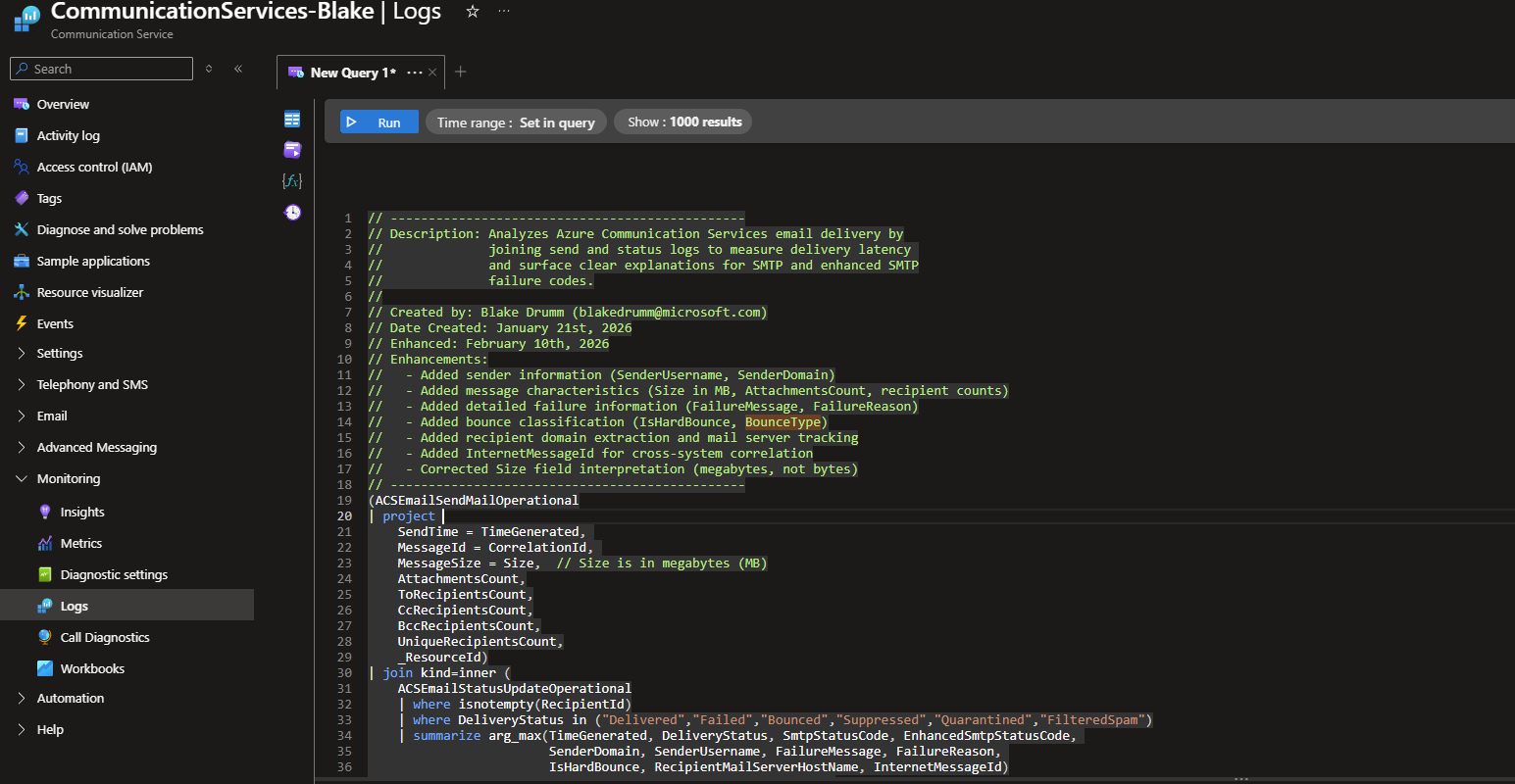
📜 The Complete Query
Here’s the full KQL query. You can copy and paste this directly into Azure Monitor Log Analytics:
// -----------------------------------------------
// Description: Analyzes Azure Communication Services email delivery by
//              joining send and status logs to measure delivery latency
//              and surface clear explanations for SMTP and enhanced SMTP
//              failure codes.
//
// Created by: Blake Drumm ([email protected])
// Date Created: January 21st, 2026
// Enhanced: February 10th, 2026
// Enhancements:
//   - Added sender information (SenderUsername, SenderDomain)
//   - Added message characteristics (Size in MB, AttachmentsCount, recipient counts)
//   - Added detailed failure information (FailureMessage, FailureReason)
//   - Added bounce classification (IsHardBounce, BounceType)
//   - Added recipient domain extraction and mail server tracking
//   - Added InternetMessageId for cross-system correlation
//   - Corrected Size field interpretation (megabytes, not bytes)
// -----------------------------------------------
(ACSEmailSendMailOperational
| project
    SendTime = TimeGenerated,
    MessageId = CorrelationId,
    MessageSize = Size,  // Size is in megabytes (MB)
    AttachmentsCount,
    ToRecipientsCount,
    CcRecipientsCount,
    BccRecipientsCount,
    UniqueRecipientsCount,
    _ResourceId)
| join kind=inner (
    ACSEmailStatusUpdateOperational
    | where isnotempty(RecipientId)
    | where DeliveryStatus in ("Delivered","Failed","Bounced","Suppressed","Quarantined","FilteredSpam")
    | summarize arg_max(TimeGenerated, DeliveryStatus, SmtpStatusCode, EnhancedSmtpStatusCode,
                        SenderDomain, SenderUsername, FailureMessage, FailureReason,
                        IsHardBounce, RecipientMailServerHostName, InternetMessageId)
        by MessageId = CorrelationId, RecipientId, _ResourceId
    | project
        MessageId,
        RecipientId,
        _ResourceId,
        FinalStatusTime = TimeGenerated,
        FinalDeliveryStatus = DeliveryStatus,
        SmtpStatusCode = tostring(SmtpStatusCode),
        EnhancedSmtpStatusCode = tostring(EnhancedSmtpStatusCode),
        SenderDomain,
        SenderUsername,
        FailureMessage,
        FailureReason,
        IsHardBounce,
        RecipientMailServerHostName,
        InternetMessageId
) on MessageId, _ResourceId
| where FinalStatusTime >= SendTime
| extend DurationMilliseconds = datetime_diff("millisecond", FinalStatusTime, SendTime)
| extend DurationSeconds = round(todouble(DurationMilliseconds) / 1000.0, 3)
// Extract recipient domain for analysis
| extend RecipientDomain = tolower(extract(@"@(.+)$", 1, RecipientId))
// Categorize message size (Size field is in megabytes)
| extend MessageSizeCategory = case(
    MessageSize < 0.1, "Tiny (<100KB)",
    MessageSize < 1.0, "Small (100KB-1MB)",
    MessageSize < 5.0, "Medium (1-5MB)",
    MessageSize < 10.0, "Large (5-10MB)",
    "Very Large (>10MB)"
)
// Categorize bounce type (handle both "True"/"False" and "true"/"false")
| extend BounceType = case(
    FinalDeliveryStatus == "Delivered", "Not Applicable",
    tolower(IsHardBounce) == "true", "Hard Bounce",
    tolower(IsHardBounce) == "false", "Soft Bounce",
    FinalDeliveryStatus in ("Bounced", "Failed") and isempty(IsHardBounce), "Unknown (not populated)",
    "Unknown"
)
| extend SmtpStatusCode =
    iff(isempty(SmtpStatusCode) and FinalDeliveryStatus == "Delivered", "<not applicable>", SmtpStatusCode)
| extend EnhancedSmtpStatusCode =
    iff(isempty(EnhancedSmtpStatusCode) and FinalDeliveryStatus == "Delivered", "<not applicable>", EnhancedSmtpStatusCode)
| extend SmtpStatusCodeDetails = case(
    SmtpStatusCode == "<not applicable>", "Not applicable (Delivered)",
    SmtpStatusCode == "421", "Service not available; try again later (temporary failure)",
    SmtpStatusCode == "450", "Mailbox unavailable (temporary); retry expected",
    SmtpStatusCode == "451", "Local error in processing (temporary); retry expected",
    SmtpStatusCode == "452", "Insufficient system storage (temporary); retry expected",
    SmtpStatusCode == "500", "Syntax error; command unrecognized",
    SmtpStatusCode == "501", "Syntax error in parameters or arguments",
    SmtpStatusCode == "502", "Command not implemented",
    SmtpStatusCode == "503", "Bad sequence of commands",
    SmtpStatusCode == "504", "Command parameter not implemented",
    SmtpStatusCode == "550", "Mailbox unavailable / policy / access denied (permanent failure)",
    SmtpStatusCode == "551", "User not local; please try forwarding address",
    SmtpStatusCode == "552", "Storage allocation exceeded (mailbox full or message too large)",
    SmtpStatusCode == "553", "Mailbox name not allowed / invalid recipient",
    SmtpStatusCode == "554", "Transaction failed (often policy/content rejection)",
    isempty(SmtpStatusCode), "Unknown / not provided",
    strcat("Unmapped SMTP code: ", SmtpStatusCode)
)
| extend EnhancedSmtpStatusCodeDetails = case(
    EnhancedSmtpStatusCode == "<not applicable>", "Not applicable (Delivered)",
    EnhancedSmtpStatusCode == "5.1.1", "Bad destination mailbox address (recipient doesn't exist)",
    EnhancedSmtpStatusCode == "5.1.0", "Bad destination mailbox address",
    EnhancedSmtpStatusCode == "5.2.2", "Mailbox full",
    EnhancedSmtpStatusCode == "5.2.1", "Mailbox disabled / not accepting mail",
    EnhancedSmtpStatusCode == "5.4.1", "Cannot route / no answer from host / destination routing issue",
    EnhancedSmtpStatusCode == "5.7.1", "Rejected by policy (SPF/DKIM/DMARC/reputation/policy)",
    EnhancedSmtpStatusCode == "4.7.1", "Temporary policy/reputation issue; retry expected",
    EnhancedSmtpStatusCode == "4.4.1", "Connection timed out / temporary network issue; retry expected",
    isempty(EnhancedSmtpStatusCode), "Unknown / not provided",
    strcat("Unmapped enhanced code: ", EnhancedSmtpStatusCode)
)
| project
    MessageId,
    InternetMessageId,
    RecipientId,
    RecipientDomain,
    SenderUsername,
    SenderDomain,
    FinalDeliveryStatus,
    BounceType,
    SendTime,
    FinalStatusTime,
    DurationSeconds,
    DurationMilliseconds,
    MessageSize,
    MessageSizeCategory,
    AttachmentsCount,
    ToRecipientsCount,
    CcRecipientsCount,
    BccRecipientsCount,
    UniqueRecipientsCount,
    SmtpStatusCode,
    SmtpStatusCodeDetails,
    EnhancedSmtpStatusCode,
    EnhancedSmtpStatusCodeDetails,
    FailureReason,
    FailureMessage,
    RecipientMailServerHostName,
    _ResourceId
| order by SendTime desc
⏱️ Delivery Latency Measurement
The query calculates delivery latency using:
SendTime(from send logs)FinalStatusTime(from status logs)
It then derives:
DurationMillisecondsDurationSeconds
This makes it easy to:
- Identify delayed deliveries
- Compare performance across recipient domains
- Spot transient vs. systemic delays
📦 Message Characteristics and Size Handling
One common pitfall is assuming the ACS Size field is reported in bytes.
It is not.
This query correctly treats Size as megabytes (MB) and adds:
- A
MessageSizeCategoryfield:- Tiny (<100KB)
- Small (100KB–1MB)
- Medium (1–5MB)
- Large (5–10MB)
- Very Large (>10MB)
Combined with attachment and recipient counts, this helps identify:
- Messages that may trigger size-based rejections
- Large fan-out sends with higher delivery latency
Note: ACS has a default maximum email size of 10MB (including attachments), though this can be increased to 30MB via support request. Messages exceeding limits will fail before logging.
💥 Bounce Classification
The query explicitly categorizes bounce behavior:
- Hard Bounce – permanent failure (invalid mailbox, policy block, etc.)
- Soft Bounce – temporary failure (mailbox full, throttling, transient policy)
- Not Applicable – delivered successfully
This makes it trivial to separate:
- Retry-worthy failures
- Permanent delivery issues
- Clean deliveries
📜 SMTP and Enhanced SMTP Code Translation
Raw SMTP codes are not very helpful on their own.
This query maps:
- Standard SMTP status codes (e.g.,
550,554) - Enhanced SMTP status codes (e.g.,
5.1.1,5.7.1)
Into clear, human-readable explanations, such as:
- “Bad destination mailbox address (recipient doesn’t exist)”
- “Rejected by policy (SPF/DKIM/DMARC/reputation)”
- “Temporary network issue; retry expected”
Delivered messages automatically show:
<not applicable>for SMTP fields
This removes ambiguity and speeds up root-cause analysis.
🌐 Recipient and Server Intelligence
The query extracts and surfaces:
- Recipient domain
- Recipient mail server hostname
- InternetMessageId
This allows you to:
- Group failures by destination domain
- Identify problematic recipient mail systems
- Correlate ACS activity with external mail logs or SIEM data
🎯 Common Usage Patterns
Filter by Specific Sender
| where SenderUsername == "[email protected]"
Find All Bounces to a Specific Domain
| where RecipientDomain == "gmail.com" and FinalDeliveryStatus == "Bounced"
Identify Slow Deliveries (>10 seconds)
| where DurationSeconds > 10 and FinalDeliveryStatus == "Delivered"
Messages with Large Size or Attachments
| where MessageSize > 5.0 or AttachmentsCount > 0
All Hard Bounces in Last 24 Hours
| where BounceType == "Hard Bounce"
| where SendTime > ago(24h)
📊 Aggregation Examples for Dashboards
Delivery Success Rate by Recipient Domain
// Add this to the end of the base query
| summarize
    Total = count(),
    Delivered = countif(FinalDeliveryStatus == "Delivered"),
    Bounced = countif(FinalDeliveryStatus == "Bounced")
    by RecipientDomain
| extend SuccessRate = round(100.0 * Delivered / Total, 2)
| order by Total desc
Average Delivery Time by Hour
// Add this to the end of the base query
| where FinalDeliveryStatus == "Delivered"
| summarize AvgDeliverySeconds = avg(DurationSeconds)
    by bin(SendTime, 1h)
| render timechart
Top Failure Reasons
// Add this to the end of the base query
| where FinalDeliveryStatus != "Delivered"
| summarize Count = count() by FailureReason, EnhancedSmtpStatusCodeDetails
| order by Count desc
| take 10
Bounce Rate by Sender
// Add this to the end of the base query
| summarize
    TotalSent = count(),
    HardBounces = countif(BounceType == "Hard Bounce"),
    SoftBounces = countif(BounceType == "Soft Bounce")
    by SenderUsername
| extend HardBounceRate = round(100.0 * HardBounces / TotalSent, 2)
| order by HardBounceRate desc
Message Size Distribution
// Add this to the end of the base query
| summarize Count = count() by MessageSizeCategory
| render piechart
⚠️ Limitations & Known Issues
Subject Lines Are Not Available
Azure Communication Services does not log email subject lines or body content in diagnostic logs for privacy and security reasons. Only metadata (sender, recipient, size, status codes) is captured.
If you need to track subjects, implement custom logging in your application before sending:
// Example: Log subject before sending
logger.LogInformation("Sending email - MessageId: {messageId}, Subject: {subject}",
    correlationId, emailMessage.Subject);
IsHardBounce Casing
The IsHardBounce field returns “True”/”False” (capital T/F), not “true”/”false”. The query handles this with case-insensitive comparison using tolower().
Time Range Performance
For optimal performance on large datasets, limit queries to specific time ranges (e.g., last 24-48 hours) rather than scanning all historical data. Add this at the start:
| where TimeGenerated > ago(24h)
Correlation Timing
The query filters for FinalStatusTime >= SendTime to ensure logical ordering. In rare cases where clock skew exists, some records may be excluded.
🧪 When to Use This Query
This query is ideal for:
- Investigating bounced or delayed emails
- Analyzing delivery performance trends
- Supporting customer escalations
- Validating ACS email configuration
- Understanding policy-based rejections
- Building workbooks or dashboards for email observability
- Identifying problematic recipient domains or mail servers
🚀 Next Steps
Now that you have the query, here are some ways to extend it:
- Create an Azure Workbook – Build interactive dashboards using this query as a data source
- Set Up Alerts – Create alerts for high bounce rates, delivery latency spikes, or specific failure patterns
- Join with Application Logs – Use
MessageIdorInternetMessageIdto correlate with your application’s custom logging - Export to Power BI – For long-term trend analysis and executive reporting
- Integrate with SIEM – Feed results into Azure Sentinel or third-party SIEM tools
📚 Related Resources
- Azure Communication Services Email Documentation
- ACSEmailSendMailOperational Table Reference
- ACSEmailStatusUpdateOperational Table Reference
- SMTP Status Codes (RFC 5321)
- Enhanced SMTP Status Codes (RFC 3463)
- Azure Monitor KQL Reference
🧠 Final Thoughts
Azure Communication Services provides excellent email diagnostics — but the real power comes from correlating and enriching that data.
This KQL query turns raw ACS logs into a structured, actionable dataset that answers the questions customers actually ask:
- What happened to my email?
- Why did it fail?
- How long did it take?
- Is this temporary or permanent?
If you work with ACS Email regularly, this query is a strong foundation for troubleshooting, reporting, and long-term monitoring.
Feel free to adapt, extend, and share this query with your team. Happy troubleshooting! 🎉

Share on: